
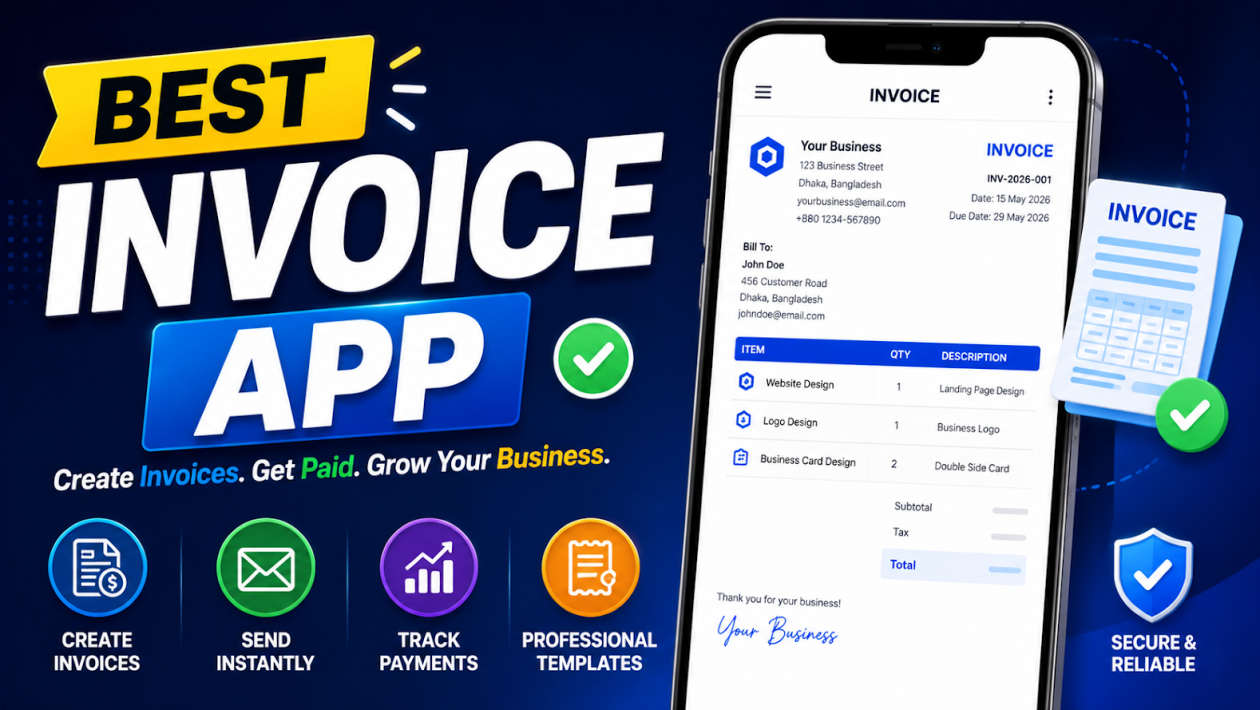
Managing payments manually is no longer practical in today’s fast-moving digital economy. Whether you are a freelancer, startup owner, or small business, choosing the best invoice app can completely change how you handle billing, cash flow, and client communication.
Modern invoice apps go far beyond simple billing. They help you track payments, automate reminders, manage taxes, accept online payments, and even integrate with accounting systems.
In this guide, you will explore the best free invoice app options, their features, strengths, limitations, and how to choose the right one for your needs.
What is an Invoice App?
An invoice app is a digital tool that helps you create, send, and manage invoices online without using manual methods like Excel sheets or Word files. It simplifies the entire billing process by offering ready-made templates, automated calculations, and instant sharing options. Instead of spending time designing invoices from scratch, you can generate professional bills in just a few clicks and send them directly to your clients through email or payment links.
These apps also help you track payments in real time, so you always know which invoices are paid, pending, or overdue. Everything from client details to transaction history is stored in one place, making financial management much more organized and stress-free.
Best Invoice App List
Today’s businesses need tools that can manage payments, automate reminders, handle taxes, generate reports, and even support client management. The best invoice app can save time, reduce errors, and help you get paid faster. Let’s have a look at some of the best free invoice maker app
1. QuickBooks Online Mobile App
| Price | Best For |
| Free mobile app (requires paid subscription approx. $30–$200/month depending on plan) | Small, medium, and large businesses needing complete accounting + invoicing system |
QuickBooks Online is one of the most powerful accounting ecosystems available for businesses of all sizes. The mobile app allows users to manage invoices, track payments, monitor expenses, and access financial data from anywhere. However, the full experience is unlocked through its paid subscription plans, which vary based on business size and required features.
The platform is widely used because it combines invoicing, accounting, payroll, and reporting in one centralized system. It is especially useful for businesses that want a scalable solution that grows with them. It works as a complete invoice tracking software with strong financial automation.
Pros and Cons
| Pros | Cons |
| 1. Cloud-based access from anywhere at any time | 1. Mobile app has limited features compared to desktop version |
| 2. Strong bank-level security and data protection | 2. Advanced features require higher-tier paid plans |
| 3. Automated accounting and workflow integration | 3. Beginners may find it overwhelming at first |
| 4. Syncs directly with bank accounts and credit cards | 4. Invoice customization options are somewhat limited |
| 5. Real-time financial reporting and insights | 5. Subscription cost increases with business size |
2. FreshBooks App
| Price | Best for |
| Starts approx. $19–$60/month | Freelancers, consultants, and small service-based businesses |
FreshBooks is a user-friendly best best invoice maker app and accounting platform designed primarily for service professionals. It focuses on simplicity, clean invoice design, and time tracking features, making it especially popular among freelancers and small agencies.
Unlike complex accounting systems, FreshBooks prioritizes ease of use while still offering essential financial tools.
Pros and Cons
| Pros | Cons |
| 1. Extremely easy and beginner-friendly interface | 1. Limited advanced accounting features |
| 2. Professionally designed invoice templates | 2. Can become expensive as business grows |
| 3. Built-in time tracking system | 3. Not ideal for large enterprises |
| 4. Strong client communication tools | 4. Limited inventory management support |
| 5. Automated payment reminders | 5. Fewer customization options compared to competitors |
3. Zoho Invoice App
| Price | Best for |
| Free for most small businesses | Freelancers, startups, and small service providers |
Zoho Invoice is one of the most popular free invoice app solutions. It is also widely searched as a zoho invoice generator because it allows instant invoice creation. It is designed for small businesses that want professional invoicing without paying subscription fees.Despite being free, it offers a strong set of features including automated billing, expense tracking, and multi-currency support.
Pros and Cons
| Pros | Cons |
| 1. Free to use with strong feature set | 1. Limited full accounting capabilities |
| 2. Clean and professional invoice templates | 2. Works best within Zoho ecosystem |
| 3. Multi-currency and global invoicing support | 3. Reporting features are less advanced than competitors |
| 4. Automation for recurring invoices and reminders | 4. Mobile app can sometimes be slow |
| 5. Easy integration with payment gateways | 5. Not suitable for large enterprises |
4. Invoicely App
| Price | Best for |
| Free plan available; paid plans start approx. $9/month | Freelancers and micro businesses |
Invoicely is a beginner-friendly and the best invoice app, built for users who want a simple way to create and send invoices without dealing with complex accounting systems. It focuses mainly on core invoicing functions such as billing clients, tracking payments, and managing basic financial records.
This tool is especially useful for individuals or very small businesses that do not require advanced bookkeeping, payroll, or deep financial reporting. Its simplicity is one of its strongest advantages, as users can start creating invoices within minutes of signing up.
Pros and Cons
| Pros | Cons |
| 1. Simple and easy-to-use interface |
|
| 2. Free plan available for beginners | 2. UI feels outdated compared to modern apps |
| 3. Supports multiple businesses under one account | Not suitable for scaling businesses |
| 4. Quick invoice creation process | Limited integrations with other tools |
| 5. Low-cost premium plans | Basic customization options |
5. Wave Invoicing
| Price | Best for |
| Free invoicing system (paid payroll and payment processing optional) | Freelancers and small businesses |
Wave is one of the best free invoice software and accounting platforms globally, offering invoicing, accounting, and receipt management at no monthly cost. It is designed to help small businesses and freelancers manage their finances without investing in expensive software.
The platform is cloud-based and allows users to track income, send invoices, and manage expenses all in one place. While invoicing is free, some additional services like payroll and payment processing come at a cost.
Pros and Cons
| Pros | Cons |
| 1. Completely free invoicing and accounting tools | 1. Limited advanced business features |
| 2. Easy-to-use dashboard and interface | 2. Payroll and payment processing are paid |
| 3. Good financial reporting for small businesses | 3. Fewer third-party integrations |
| 4. Cloud-based access from anywhere | 4. Not suitable for large enterprises |
| 5. Supports basic expense tracking | 5. Limited scalability |
6. Invoice Ninja App
| Price | Best for |
| Free plan available; paid approx. $10–$14/month | Freelancers, developers, and small businesses |
Invoice Ninja is a flexible free invoice generator with customization options and open-source support. It allows users to create professional invoices, track time spent on projects, and accept online payments through multiple gateways.
It is especially popular among developers and technical users because of its open-source nature, which allows deeper customization and self-hosting options.
Pros and Cons
| Pros | Cons |
| 1. Open-source and highly customizable | 1. Interface can feel technical for beginners |
| 2. Strong invoice customization options | 2. Requires setup and configuration |
| 3. Built-in time tracking system | 3. Free plan has limited support |
| 4. Supports multiple payment gateways | 4. Learning curve for non-technical users |
| 5. Affordable premium plans | 5. UI not as polished as competitors |
7. Invoice Simple App
| Price | Best for |
| Free basic version; premium approx. $6–$20/month | Small businesses and field workers |
Invoice Simple is a mobile-first easy invoice maker app designed for fast billing. It allows users to create and send invoices instantly from their phone, making it ideal for people working in the field or on-site. It focuses purely on fast invoice generation rather than complex accounting features, which makes it extremely easy to use for beginners.
Pros and Cons
| Pros | Cons |
| 1. Extremely easy mobile invoicing | 1. Limited accounting features |
| 2. Fast invoice generation | 2. Not suitable for large businesses |
| 3. Simple and clean interface | 3. Few integrations with other systems |
| 4. Works well offline and on mobile | 4. Basic reporting tools only |
| 5. Quick payment request options | 5. Limited scalability |
8. Xero App
| Price | Best for |
| Starts approx. $15–$65/month | Small and medium-sized businesses |
Xero is a cloud-based accounting platform designed for growing businesses that need more than basic invoicing. It is a powerful invoice tracking software with full accounting capabilities. It offers a complete financial management system including invoicing, payroll integration, expense tracking, bank reconciliation, and financial reporting.
It is widely used by businesses that require real-time financial visibility and multi-user collaboration.
Pros and Cons
| Pros | Cons |
| 1. Strong accounting and reporting features | 1. Can be difficult for beginners |
| 2. Real-time financial dashboard | 2. Requires subscription for full features |
| 3. Large ecosystem of integrations | 3. Limited customer support in some regions |
| 4. Supports multi-user collaboration | 4. Higher pricing for advanced plans |
| 5. Scalable for growing businesses | 5. Learning curve involved |
9. Agiled App
| Price | Best for |
| Starts approx. $25/month | Agencies, freelancers, and service-based businesses |
Agiled is an all-in-one business management platform that goes far beyond simple invoicing. It combines invoicing, CRM (customer relationship management), project management, contract handling, and automation tools in a single dashboard.
This makes it especially useful for agencies and service-based businesses that manage multiple clients, projects, and billing cycles at the same time. Instead of using separate tools for each function, Agiled centralizes everything into one system.
The platform is designed to improve workflow efficiency by reducing manual tasks and connecting client management directly with invoicing and payments.
Pros and Cons
| Pros | Cons |
| 1. Combines CRM, projects, and invoicing in one platform | 1. Not purely focused on invoicing |
| 2. Strong automation features for workflows | 2. Interface can feel complex for beginners |
| 3. Includes client portal for communication | 3. Requires setup time before full use |
| 4. Supports team collaboration and task management | 4. Smaller user community compared to competitors |
| 5. Centralized business management system | 5. Learning curve due to multiple features |
10. Hurdlr Pro App
| Price | Best for |
| Free basic plan; Pro approx. $7–$15/month | Freelancers, gig workers, and independent contractors |
Hurdlr is primarily an expense tracking and tax estimation app rather than a full invoicing platform. It helps users automatically track income, expenses, mileage, and tax obligations in real time.
It is especially useful for freelancers, Uber drivers, delivery workers, and independent contractors who need to monitor their earnings and expenses for tax purposes. The app integrates with financial accounts and tracks transactions automatically, reducing manual bookkeeping work.
Pros and Cons
| Pros | Cons |
| 1. Automatic expense and income tracking | 1. Not a full invoicing system |
| 2. Mileage tracking for tax deductions | 2. Limited invoice creation features |
| 3. Real-time tax estimation tools | 3. Focused more on expenses than billing |
| 4. Mobile-friendly and easy to use | 4. Not suitable for large businesses |
| 5. Simple financial overview dashboard | 5. Limited accounting depth |
11. PayPal Invoicing
| Price | Best for |
| Free invoice creation; transaction fees apply | Freelancers, online sellers, and international clients |
PayPal is one of the most widely recognized digital payment platforms in the world, and it also offers a simple invoicing feature. It is a trusted platform to generate online invoice and receive global payments instantly. Users can quickly create and send invoices directly from their PayPal account and receive payments instantly.
Its biggest advantage is trust and global acceptance, making it ideal for international transactions. However, it is not a full accounting system, as it focuses mainly on payments.
Pros and Cons
| Pros | Cons |
| 1. Globally trusted payment system | 1. Transaction fees apply on payments |
| 2. Instant payment processing | 2. Limited invoice customization |
| 3. Easy invoice creation and sending | 3. Not a full accounting system |
| 4. Supports international clients | 4. Account limitations possible in some cases |
| 5. Simple and beginner-friendly interface | 5. Basic financial reporting features |
12. Square Invoicing
| Price | Best For |
| Free invoicing; transaction fees apply | Retail businesses, service providers, and small merchants |
Square is a payment processing platform that also includes invoicing, point-of-sale (POS), and business management tools. It is widely used by retail shops, restaurants, and service-based businesses that require both in-person and online payment solutions.
The invoicing feature allows users to send professional invoices and collect payments quickly through multiple channels.
Pros and Cons
| Pros | Cons |
| 1. Integrated POS and invoicing system | 1. Transaction fees apply on payments |
| 2. Fast and secure payment processing | 2. Limited advanced accounting features |
| 3. Mobile-friendly and easy to use | 3. Best suited for certain regions and markets |
| 4. Simple setup process | 4. Not a complete accounting solution |
| 5. Reliable payment infrastructure | 5. Limited customization options |
13. Bookipi App
| Price | Best for |
| Free plan available; premium approx. $5–$15/month | Freelancers and small businesses |
Bookipi is a fast free invoice app designed for mobile users who need instant billing. It allows users to create professional invoices within seconds directly from their smartphone, making it highly suitable for freelancers and small business owners who work on the go.
The app focuses on essential invoicing functions such as creating bills, sending payment requests, tracking invoice status, and managing basic client details. It avoids complex accounting features to keep the interface clean and beginner-friendly.
Bookipi also provides cloud syncing, allowing users to access their invoices across multiple devices without losing data.
Pros and Cons
| Pros | Cons |
| 1. Very fast invoice creation process | 1. Limited advanced accounting features |
| 2. Clean and beginner-friendly mobile interface | 2. Basic reporting and analytics tools |
| 3. Free plan available for starters | 3. Fewer third-party integrations |
| 4. Lightweight and responsive app design | 4. Not suitable for large-scale businesses |
| 5. Quick payment request and tracking system | 5. Limited scalability for growing companies |
14. Paymo App
| Price | Best For |
| Starts approx. $5–$20/month | Freelancers, agencies, and small teams |
Paymo is a hybrid platform that combines project management, time tracking, task organization, and invoicing into one system. It is designed for businesses that need to manage both work execution and billing in a unified workflow.
Unlike basic invoicing tools, Paymo allows users to track time spent on tasks and automatically convert those tracked hours into invoices. This makes it especially useful for agencies, designers, developers, and consultants who bill clients based on hourly or project-based work.
It also includes collaboration tools that allow teams to assign tasks, track progress, and manage deadlines efficiently.
Pros and Cons
| Pros | Cons |
| 1. Combines project management and invoicing | 1. Not purely focused on invoicing |
| 2. Built-in time tracking system | 2. Learning curve for beginners |
| 3. Converts tracked work into invoices easily | 3. Interface can feel complex at first |
| 4. Team collaboration and task tools included | 4. Requires setup for full functionality |
| 5. Suitable for agencies and service teams | 5. Limited deep accounting features |
Conclusion
The best invoice app depends on your business needs and budget. For full accounting features, QuickBooks Online and Xero are strong choices, while Zoho Invoice and Wave Invoicing are excellent free invoice software options for freelancers and small businesses. If you need a simple and fast solution, Invoice Simple and Bookipi work well as easy invoice maker apps for mobile users. Agencies may prefer Agiled or Paymo for project management and billing together. Ultimately, the best invoice maker app is the one that simplifies invoicing, improves cash flow, and helps you manage clients efficiently with less manual effort.
FAQs – Best Invoice App
Q1. What is the best free invoice app for small businesses?
Zoho Invoice and Wave Invoicing are considered the best free invoice apps for small businesses because they offer professional invoicing, expense tracking, and payment management without monthly fees.
Q2. Which invoice app is best for freelancers?
FreshBooks, Invoice Ninja, and Bookipi are great options for freelancers. They offer easy invoice creation, time tracking, and quick payment options, making them ideal for solo professionals.
Q3. Can I create invoices for free using these apps?
Yes, many apps like Zoho Invoice, Wave, Invoicely, and Bookipi allow you to create and send invoices for free. However, some advanced features may require a paid plan.
Q4. Which invoice app is best for large businesses?
QuickBooks Online and Xero are best for large or growing businesses because they provide complete accounting, payroll, reporting, and financial management features along with invoicing.
Q5. Are invoice apps safe to use for payments?
Yes, most trusted invoice apps like PayPal, Square, and QuickBooks use secure encryption and bank-level security to protect your financial data and transactions.
Q6. Can I accept online payments through invoice apps?
Yes, many invoice apps like PayPal, Square, FreshBooks, and Zoho Invoice allow you to add payment links so clients can pay invoices online easily and securely.